Gakuran Custom Clothing Guide — Gang Outfits, Clothes Rerolls & Accessories
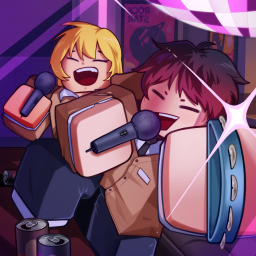
Gakuran Custom Clothing Guide — Gang Outfits, Clothes Rerolls & Accessories
Looking the part is half the fun in Gakuran (学乱), the open-world Japanese delinquent (Yankii) school PvP fighting sim on Roblox. But Gakuran's clothing system confuses a lot of new players because there isn't a clothing store NPC — custom outfits come from Discord gangs, and everyday wardrobe changes happen through the Stats menu's Clothes reroll. This guide breaks down every way to customize your character's clothing in Gakuran, from gang uniforms to accessory rerolls.
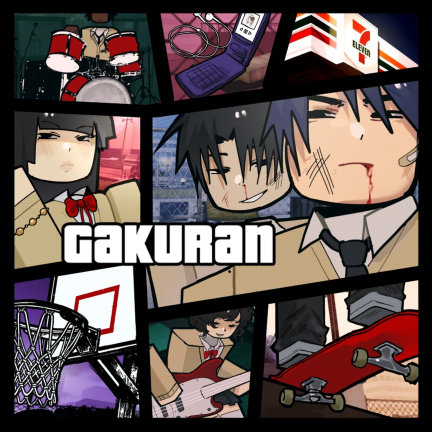
The Two Clothing Systems in Gakuran
The most common mistake players make is hunting for a clothing shop that doesn't exist. Gakuran splits clothing into two separate systems:
| Clothing Type | How You Get It |
|---|---|
| Custom gang clothing | Join a Discord gang that provides member outfits, then use that outfit in-game. |
| Clothes reroll | Use the Clothes slot in the Stats menu to randomly reroll your standard student outfit. |
| Work uniforms | Take a job (club, coffee shop, etc.) for a job-related clothing set while working. |
| Avatar Shop outfits | Buy Roblox catalog clothing for your global avatar — this does not change the in-game Clothes roll. |
Knowing which one you want decides where you go next. Quick answer: For custom gang clothing, join the official Gakuran Discord, find a gang that offers custom outfits, and use its uniform in-game. For a normal outfit swap, open Stats and reroll the Clothes slot.
How to Get Custom Gang Clothing via Discord
Custom outfits live in Gakuran's Discord gang scene — not in the game itself. Gangs recruit through the official Discord and hand uniforms to their members. Here's how to get one:
- Open the official Gakuran Discord — this is where gangs recruit new members. Join here: discord.com/invite/nAjhu2jYsj
- Find the gang advertisement channel — look for RP server or gang recruitment posts.
- Look for gangs that mention custom clothing — groups that provide outfits typically state it directly in their post, often with an attached image showing the uniform.
- Read the requirements — before you apply, read the gang's rules, activity expectations, and any entry conditions. Don't join just because the outfit looks good.
- Follow the joining process — apply only if you meet the requirements.
- Use the gang's outfit in-game — once accepted, your character will appear in the gang's custom uniform instead of the default student look.
💡 Tip: Gang uniforms are one of the main reasons players join gangs, so recruitment posts that come with a uniform usually say so plainly. If a post doesn't mention custom clothing, that gang probably doesn't offer it.
How to Change Your Normal Outfit (Clothes Reroll)
Regular wardrobe changes happen through character customization, not Discord. The Clothes slot is its own cosmetic stat in the Stats menu, kept separate from Style (which controls your combat discipline).
Step-by-step:
- Open the Stats menu from the in-game HUD.
- Review your character identity — the first page shows fields like Gender, Age, Height, and Ethnicity if you're still setting up.
- Move to the second page — this is where the Clothes slot lives. Keep it separate from Style; Style covers combat disciplines like Boxing, Muay Thai, or Hakari (see our Rerolling Guide for the full fighting styles tier list).
- Use the Clothes slot to reroll your outfit — this is a reroll system, so it changes your outfit at random rather than letting you pick exact shirts and pants one by one.
- Walk around town in daylight to check how the jacket or uniform actually reads before you settle on it.
⚠️ Note: The Clothes reroll uses its own Robux prompt, and the price is not fixed at one consistent number — always read the purchase prompt before accepting. You can also use free rerolls from codes instead of Robux.
Style vs. Clothes — Don't Confuse Them
The Stats menu has two related but separate slots on its second page:
- Style — your combat fighting style (Boxing, Wrestling, Karate, etc.). This affects combat performance. See our Rerolling Guide for the complete tier list.
- Clothes — your outfit (jacket, shirt, pants). This is purely cosmetic.
Both consume the same pool of rerolls, so if you're spending rerolls on clothes, you're not spending them on fighting styles. For most players, fighting style should come first since it affects combat — then use leftover rerolls for clothing.
Work Uniforms and Jobs
A few clothing changes sit outside the standard Clothes reroll. Taking a job in Gakuran can give you a work uniform:
- Club work — a job-related clothing set while working at the club.
- Coffee shop work — a uniform set for coffee place shifts.
Work uniforms only appear while you're actively working that job — they don't permanently replace your Clothes roll. When you stop working, you return to your standard outfit.
Avatar Shop and Roblox Catalog Outfits
You can also dress your global Roblox avatar in gakuran-style clothing from the Roblox Avatar Shop (catalog). These are school-uniform shirts, pants, and accessories for your account-wide avatar.
However, Avatar Shop outfits are not Gakuran custom clothes — they affect your global Roblox avatar, not the game's internal Clothes slot or a gang uniform. They can make your avatar look like a uniformed student before you even load in, but they sit entirely outside Gakuran's clothing system.
| Option | What It Changes |
|---|---|
| Roblox Avatar Shop school uniforms | Your global Roblox avatar (account-wide) |
| Gakuran Clothes reroll | Your in-game student outfit (character-specific) |
| Gang custom clothing | Your in-game gang uniform (tied to Discord gang membership) |
Accessories — The 8 Vanity Slots
On top of your main Clothes slot, Gakuran has eight accessory types you can reroll individually from the Stats menu. Each is a separate vanity slot:
| Accessory Slot | Examples |
|---|---|
| Head accessory | Hats, headbands, headphones |
| Face accessory | Glasses, masks |
| Neck accessory | Scarves, necklaces |
| Arm accessory | Armbands, gloves |
| Waist accessory | Belts, sashes |
| Hair | Hairstyle (rerolled separately) |
| Hair colour | Hair colour (rerolled separately) |
| Face | Facial appearance (rerolled separately) |
Each accessory slot is rerolled independently using the same reroll system — click the circular Reroll icon next to the slot you want to change. This lets you mix and match accessories without rerolling your entire character.
Free Rerolls from Codes
If you want more attempts at the Clothes slot (or any other stat) without spending Robux, the Codes menu hands out free rerolls. Here are the latest active codes as of July 28, 2026:
| Code | Rerolls | Status |
|---|---|---|
| THECODEIS | 30 | 🆕 New |
| QUICKPATCH | 15 | Active |
Together, those two codes give 45 free rerolls. They provide reroll attempts — not direct custom outfits — so use them to spin the Clothes, accessory, or Style slots. For the full list including expired codes, see our Gakuran Codes & Official Resources hub and our Gakuran Codes Guide.
How to redeem:
- Launch Gakuran on Roblox.
- Click the small drawer icon on the left side of the screen.
- Click the Codes tab.
- Type a working code in the text box (codes are case-sensitive).
- Click Redeem to get your rerolls.
Mistakes to Avoid
- Don't hunt for a clothing store NPC — the game doesn't use one. Custom outfits come from Discord gangs; normal outfit swaps come from the Stats menu's Clothes reroll.
- Don't join a gang just for the outfit without reading the requirements first — make sure you can meet the activity and rules expectations.
- Don't expect the Clothes reroll to let you pick exact shirts and pants — it only rerolls your outfit at random.
- Don't treat a Roblox catalog uniform as the same thing as an in-game gang outfit — catalog items affect your global avatar, not Gakuran's internal clothing system.
- Don't spend all your rerolls on clothes before locking in a fighting style — see our Rerolling Guide for why fighting style should come first.
Custom Clothing FAQ
Is there a clothing shop in Gakuran? No. Gakuran doesn't have a clothing store NPC. Custom outfits come from Discord gangs, and normal outfit changes happen through the Clothes slot in the Stats menu.
How do I get custom gang clothes? Join the official Gakuran Discord, find a gang whose recruitment post mentions custom clothing, meet its requirements, and use its outfit in-game.
Can I choose my exact shirt and pants? No — the Clothes reroll randomizes your outfit. You can't pick specific shirts or pants individually; you reroll until you get a look you like.
Does the Clothes reroll cost Robux? Each Clothes reroll has its own Robux prompt, and the price varies. You can also use free rerolls from codes instead of spending Robux.
What's the difference between Style and Clothes? Style is your combat fighting style (affects gameplay). Clothes is your outfit (purely cosmetic). Both use the same reroll pool, so prioritize Style first.
Do Avatar Shop outfits change my in-game clothes? No. Roblox catalog clothing changes your global avatar, not Gakuran's internal Clothes slot. They're separate systems.
How do I change my accessories? Open the Stats menu and use the circular Reroll icon next to each accessory slot (head, face, neck, arm, waist). Each accessory is rerolled independently.
Related Guides
- Gakuran Rerolling Guide — Stats, Fighting Styles & Free Rerolls — full fighting styles tier list and how to reroll combat stats
- Gakuran Codes & Official Resources (July 2026) — every active and expired code plus official links
- Gakuran Codes Guide — Free Rerolls & How to Redeem — beginner-friendly code redemption walkthrough
Want to evaluate trades in other Roblox games? Use our Trade Calculator, or browse Trending Items across all tracked economies.
Official Gakuran Links
- Gakuran on Roblox — the game page
- Gakuran Trello — fighting styles, locations, controls, and roadmap
- Gakuran Discord — gang recruitment and custom clothing
- (学乱) Gakuran Group — the official Roblox group
This guide is maintained by the RBXPortfolio team and updated regularly with the latest clothing mechanics and codes from official sources.